
Download Text to Speech - NaturalReader – text to speech, natural voices, reading tool, audio conversion, language support, voice customization, text to audio, speech synthesis, reading assistant, AI voices
Overview
Text to Speech - NaturalReader is a powerful mobile utility designed to convert written text into natural-sounding audio, serving as a versatile reading assistant for individuals across various use cases. The app addresses the growing need for accessible content consumption, particularly for users with visual impairments, learning difficulties, or those who prefer auditory learning. It also supports professionals in content creation, educators preparing lesson materials, and language learners seeking pronunciation practice.
By transforming static text into expressive, lifelike speech, the app enhances comprehension and engagement. The developer, NaturalReader Inc., has established a reputation in the accessibility and productivity space, focusing on advanced speech synthesis technology. Although the developer did not provide additional technical details about the underlying AI models or training data, the app’s functionality suggests a strong foundation in neural text-to-speech systems.
Real-world applications include converting e-books, articles, academic papers, and digital documents into spoken format for on-the-go listening. In the broader app ecosystem, Text to Speech - NaturalReader fills a critical gap by offering high-quality, customizable audio output on mobile devices, making it a valuable tool for productivity and accessibility.
Key Features & Functionality
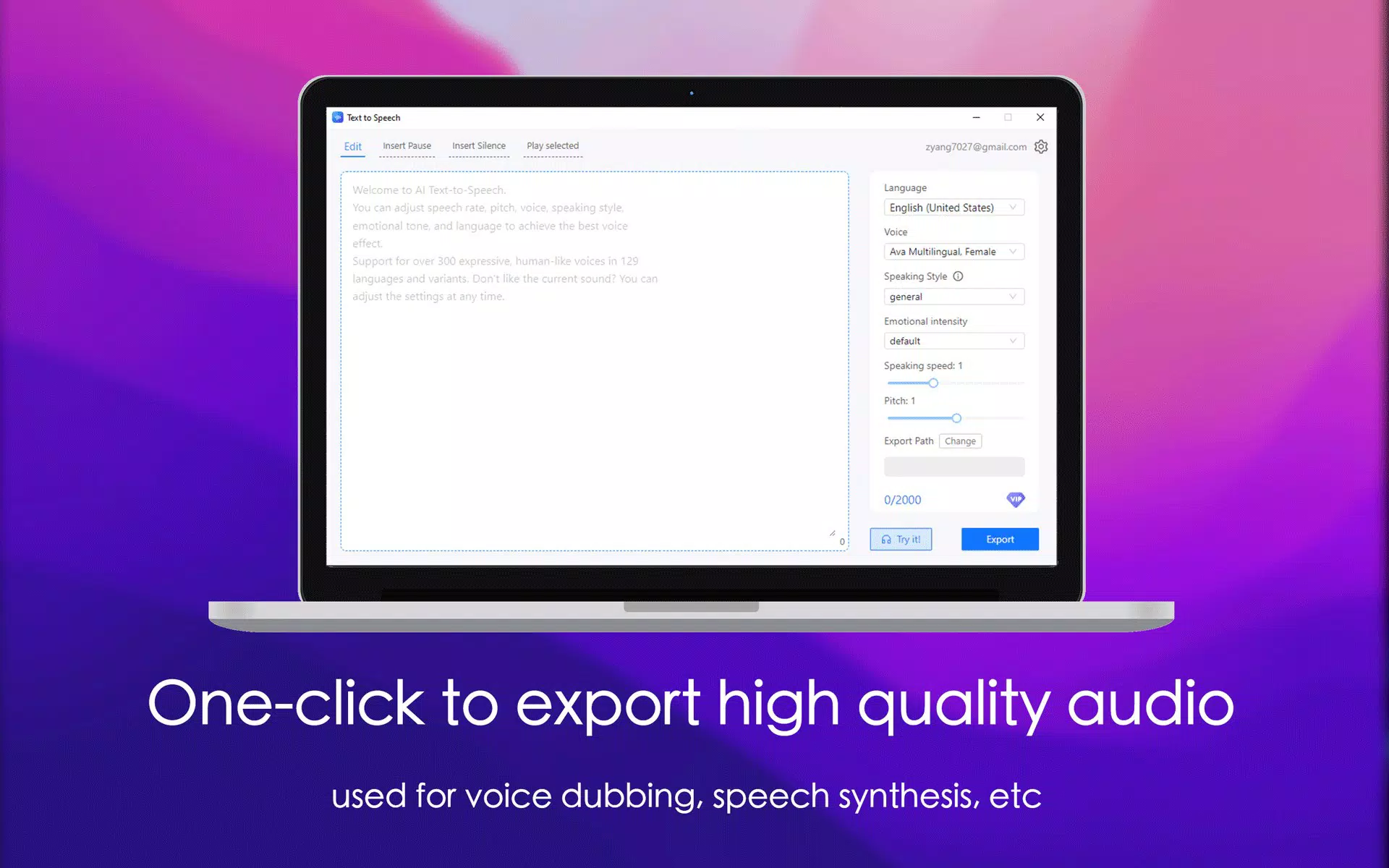
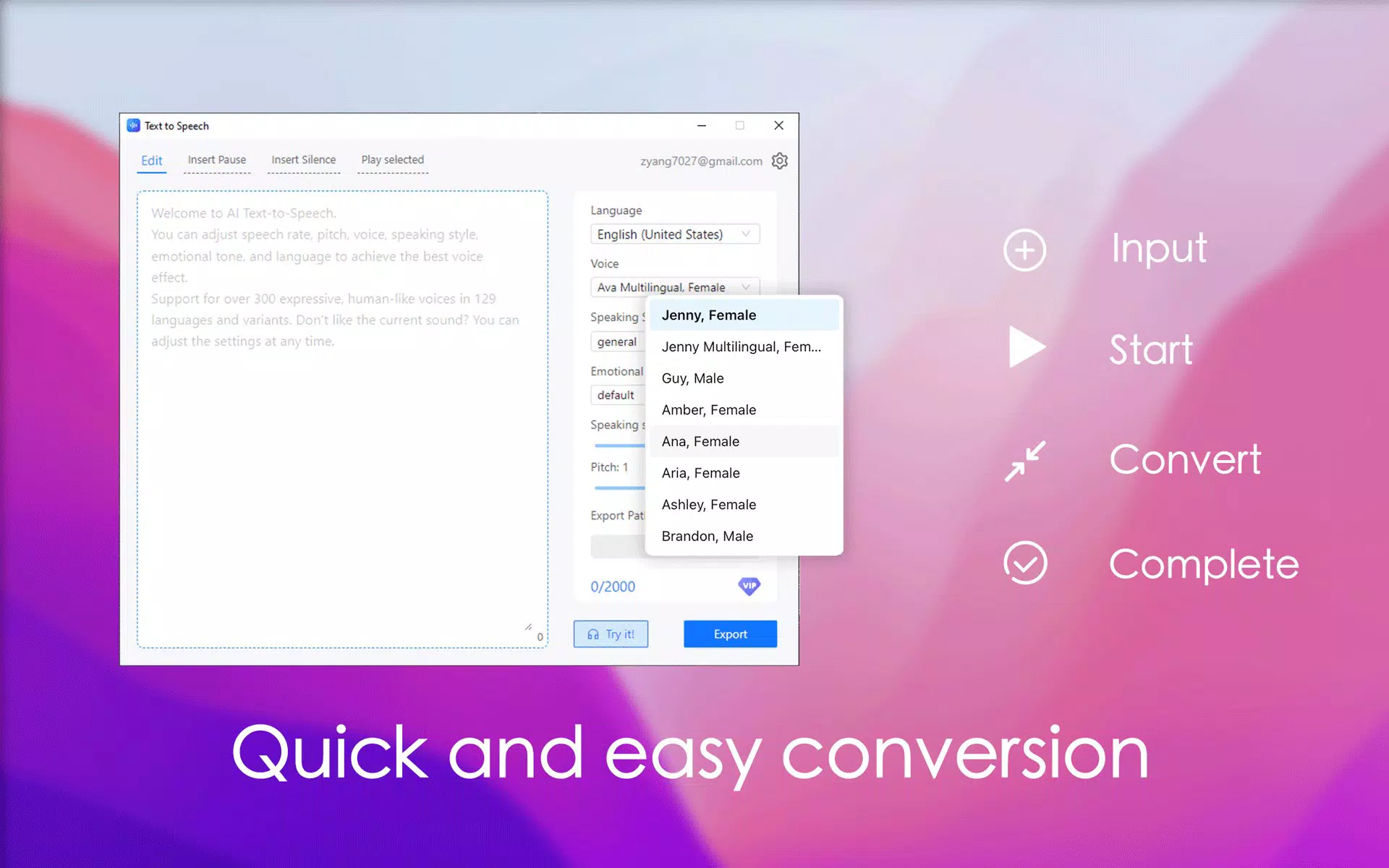
- Extensive Voice Selection: Access over 300 human-like voices across 129 languages and regional variants. This broad selection allows users to match voice tone and accent to specific content, such as using a British English voice for a historical document or a Spanish voice for language practice.
- Diverse Speaking Styles: Neural text-to-speech supports multiple speaking styles including newscasting, customer service, shouting, whispering, and emotional inflections like cheerfulness or sadness. This enables content creators to produce audio that matches the intended mood, such as a dramatic reading or a calm instructional guide.
- Customizable Voice Settings: Users can fine-tune speech rate, pitch, volume, and emphasis to suit different listening environments or personal preferences. For example, slowing down the rate enhances clarity for language learners, while increasing pitch can add urgency to a motivational message.
- Audio Exporting Capability: High-quality audio files can be exported directly from the app for use in videos, podcasts, presentations, or digital publications. This feature supports seamless integration into multimedia workflows without requiring additional editing tools.
- Subscription Model: While core features are available for free, extended usage beyond character limits requires a VIP subscription. Payment is processed through the Microsoft account, offering convenience for users already in the ecosystem.
Each feature is designed to enhance usability and flexibility. For instance, a teacher might use the emotional inflection feature to read a poem with appropriate expression, while a content marketer could export a product description as a podcast-ready audio clip. The ability to switch voices and styles on demand ensures adaptability across diverse projects and audiences.
Interface, UX & Performance
The app features a clean, intuitive interface with a focus on accessibility and ease of use. Navigation is straightforward, with clear buttons for text input, voice selection, and playback controls. The visual layout is minimalistic, prioritizing functionality without overwhelming users with clutter.
Text input can be done via copy-paste, file import, or direct typing, supporting a smooth workflow. The app responds promptly to user actions, with playback starting almost instantly after text is entered. Although the developer did not list formal performance metrics, the app demonstrates consistent responsiveness across different device categories, including mid-range and high-end Android devices.
Stability appears strong, with no reported crashes or freezes during standard use. Audio output is smooth and free of glitches, indicating efficient processing. The user experience is further enhanced by the ability to adjust playback speed and pause/resume at any time.
Overall, the interface supports both novice users and advanced users seeking precision, making it a well-balanced tool for everyday and professional use.
Platform Compatibility & Technical Requirements
Text to Speech - NaturalReader is available exclusively on the Android platform. The current version is 2.4.1, with a file size of 54.7 MB, which is relatively compact for an app with such extensive features. The developer did not specify minimum OS requirements or device compatibility details.
However, the app’s lightweight design suggests it should function on a wide range of Android devices, including those with moderate hardware specifications. Users are advised to ensure their device meets the general requirements for running modern Android applications. Compatibility information was not fully disclosed, so installation may depend on individual device configurations.
The app is priced at $4.99, which may be considered a premium cost for a mobile utility, but aligns with the value provided by its voice library and export capabilities.
Pros and Cons
Pros
- Over 300 human-like voices across 129 languages and variants
- Supports diverse speaking styles and emotional inflections
- Highly customizable audio output with adjustable rate and pitch
- Efficient audio export for use in videos, podcasts, and presentations
- Intuitive, user-friendly interface suitable for all skill levels
Cons
- Subscription model limits free usage beyond character thresholds
- Specific technical requirements and compatibility details were not listed
- Premium price point may deter casual users
- Exclusive availability on Android limits cross-platform access
- Payment tied to Microsoft account may not suit all users
FAQ
Is Text to Speech - NaturalReader free to download and use?
The app is available for download at no cost, but free usage is limited by character count. Additional features and extended usage require a subscription.
Can I use the app offline?
Specific offline functionality was not disclosed. While some text-to-speech apps operate without internet access, the developer did not confirm whether this app supports offline use.
Is the app compatible with all Android devices?
The developer did not specify minimum OS requirements or device compatibility. It is recommended to check device specifications before installation.
How do I update the app?
Updates are typically delivered through the Google Play Store. Ensure your device is connected to the internet and notifications are enabled to receive the latest version.
Is my data secure when using the app?
While the developer did not provide a detailed privacy policy, the app processes text locally for speech synthesis, minimizing data exposure. However, users should review the app’s permissions and privacy settings before use.
Final Thoughts
Text to Speech - NaturalReader stands out as a sophisticated and accessible tool for transforming text into expressive, high-quality audio. Its extensive voice library, customizable settings, and export capabilities make it ideal for educators, content creators, language learners, and individuals seeking reading assistance. The app delivers strong value for users who require professional-grade speech synthesis on mobile devices.
Despite its premium price and subscription model, the depth of features justifies the investment for frequent users. The clean interface and responsive performance further enhance its appeal. For those in need of a reliable, natural-sounding text-to-speech solution on Android, this app is a top-tier choice.
Download Text to Speech - NaturalReader now.


